
CoMax Prompter
iPhone app · Free
Read your script.
Look at the lens.
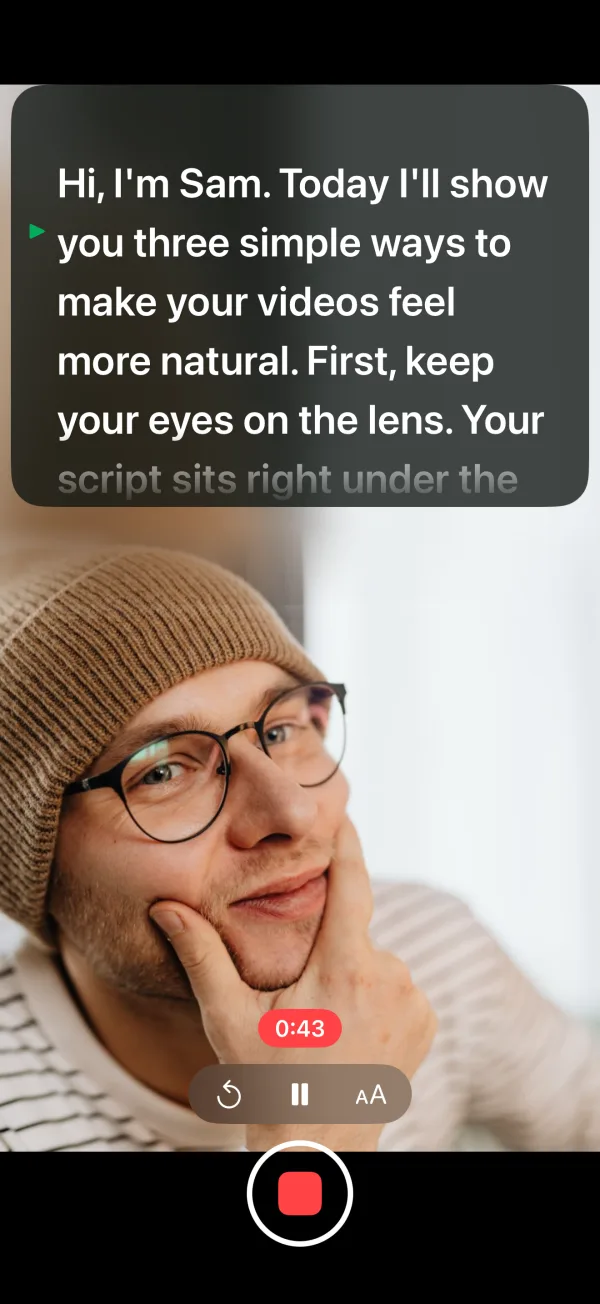
CoMax Prompter is a teleprompter camera for your iPhone. Your words sit right under the lens while you record, so you can read every line and still look at the people watching.
Free, with no ads, account or tracking. Needs an iPhone with iOS 17 or later.
Why it helps
Your eyes stay where your viewers are
When you read notes from somewhere else, viewers see you looking away. With the script just under the camera, your eyes barely move from the lens.
01 · Teleprompter
Your script, just under the camera
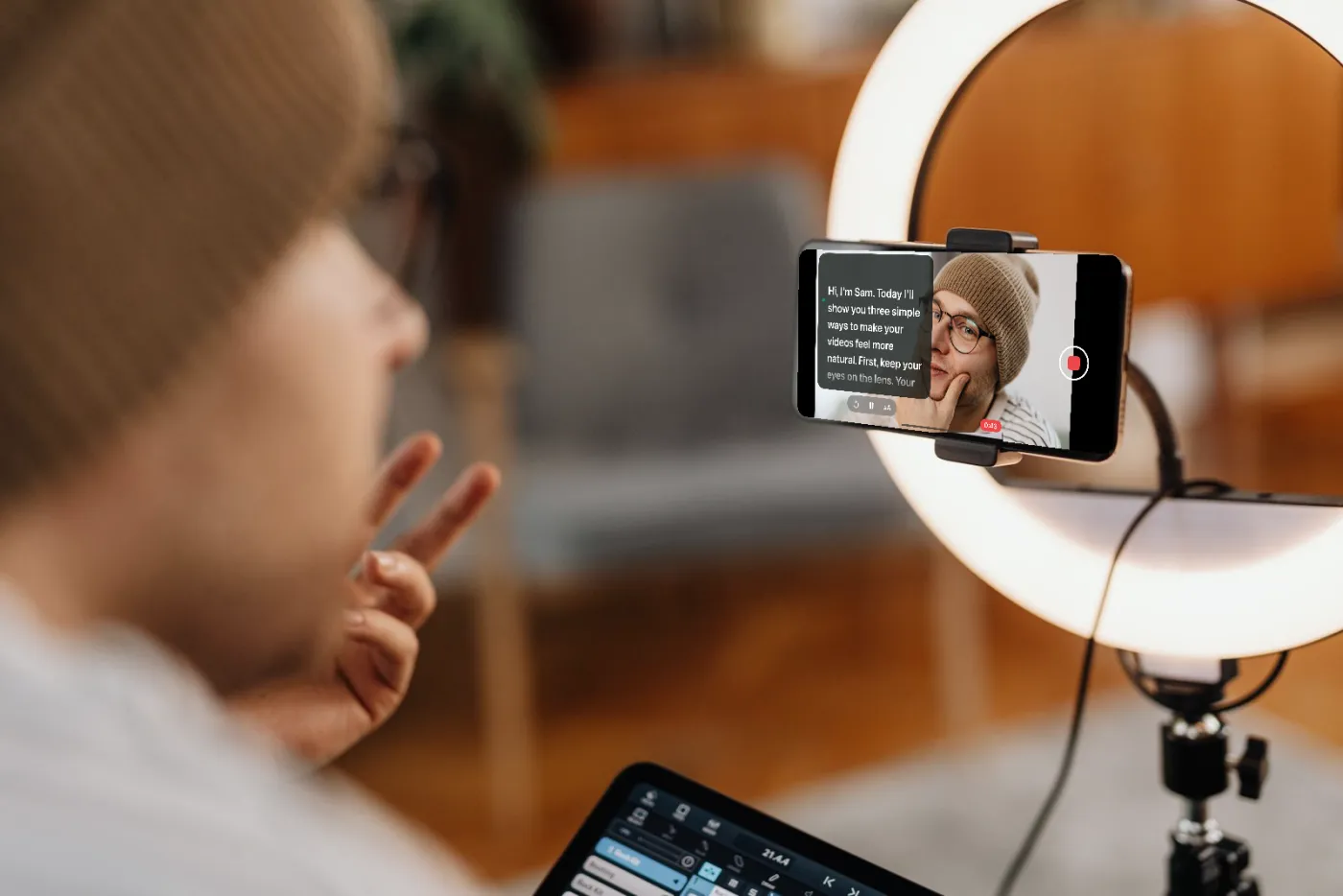
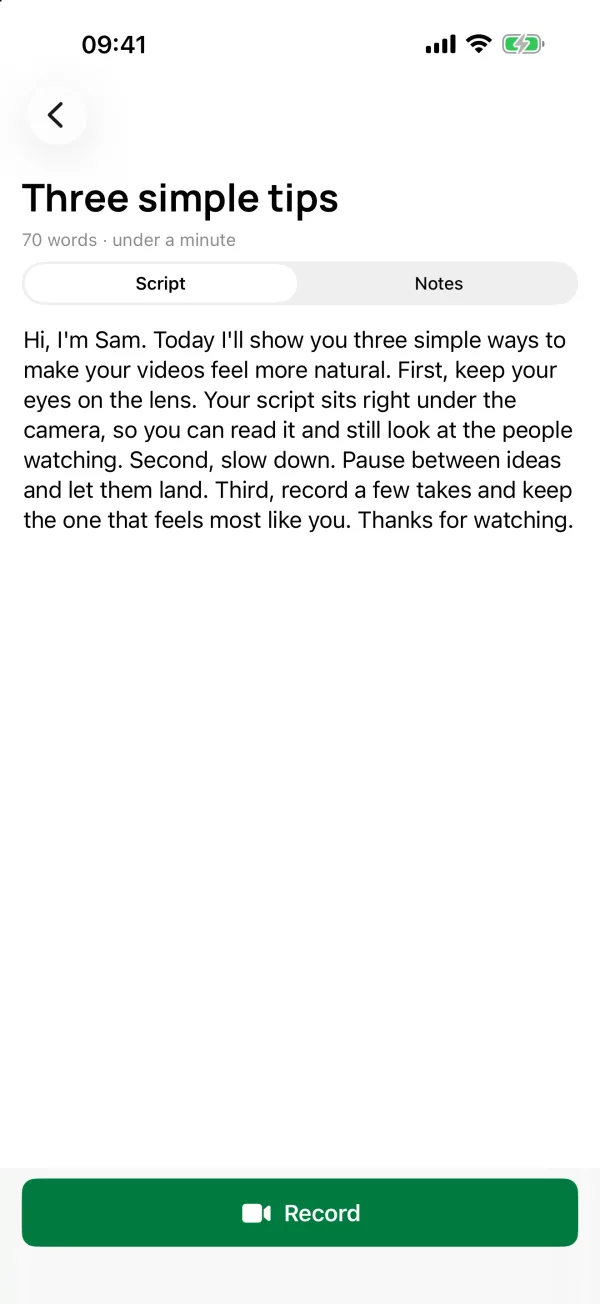
Write or paste your script, press Record and it scrolls in a panel right below the lens. A green arrow marks the line to read. Drag the words to jump back or ahead.
How it works
- Tap + › New Script and type or paste your words.
- Tap Record. A short countdown gives you time to get ready.
- Read and talk. Your video is saved to Photos when you stop.
- Steady speedScrolls at the speed you set.
- Follow my voiceKeeps pace as you speak and waits when you pause. Needs iOS 27.
- Stop at the endRecording stops a moment after your last line.
02 · Upright or sideways
Turn your phone and the script follows
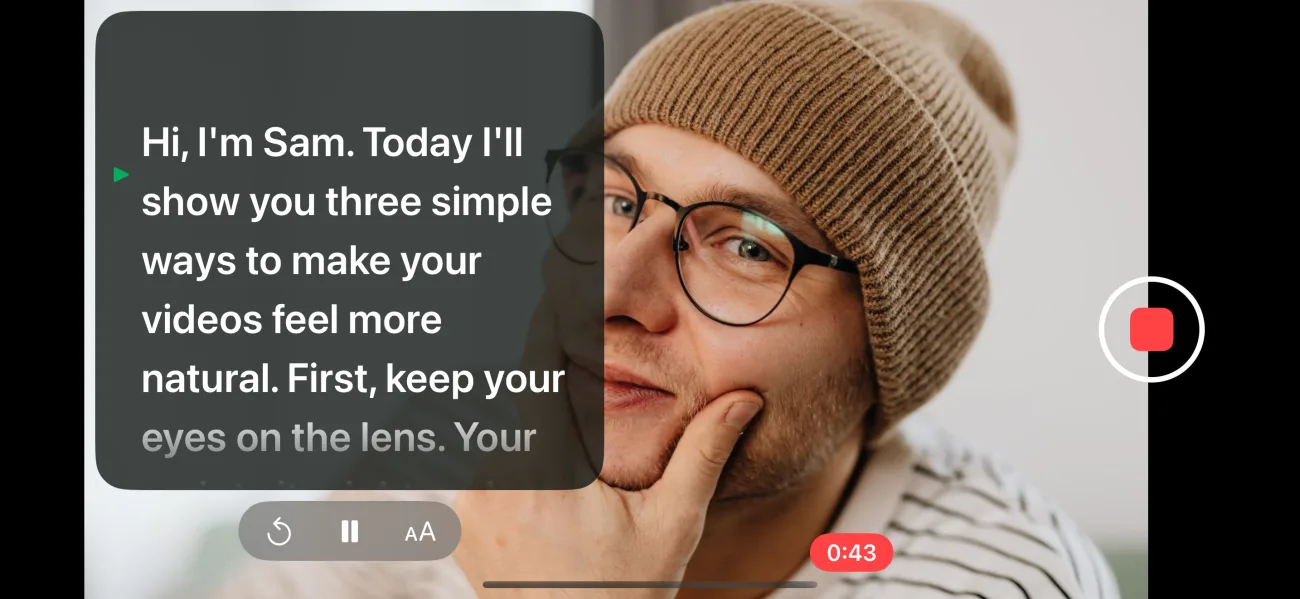
Hold your iPhone upright for Reels, Shorts and TikTok, or turn it sideways for YouTube. The script moves to the side nearest the camera, and the video is recorded the way you’re holding the phone.
03 · Notes
No script? Bring your notes
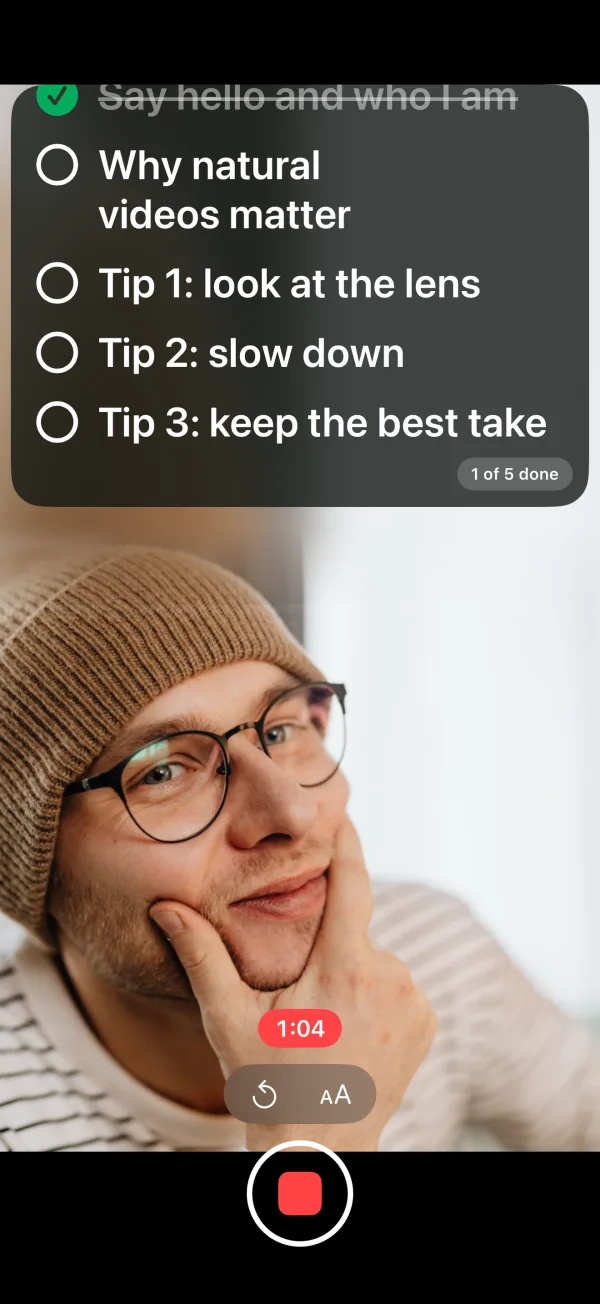
Sometimes reading word for word feels forced. Switch a script to Notes and your points become a checklist under the camera. Tick each one off as you talk, in your own words.
How it works
- Tap + › New Notes and write one point per line.
- Record, and tap a point when you’ve covered it.
- The next point stays in view, and you see how many are done.
04 · Your scripts
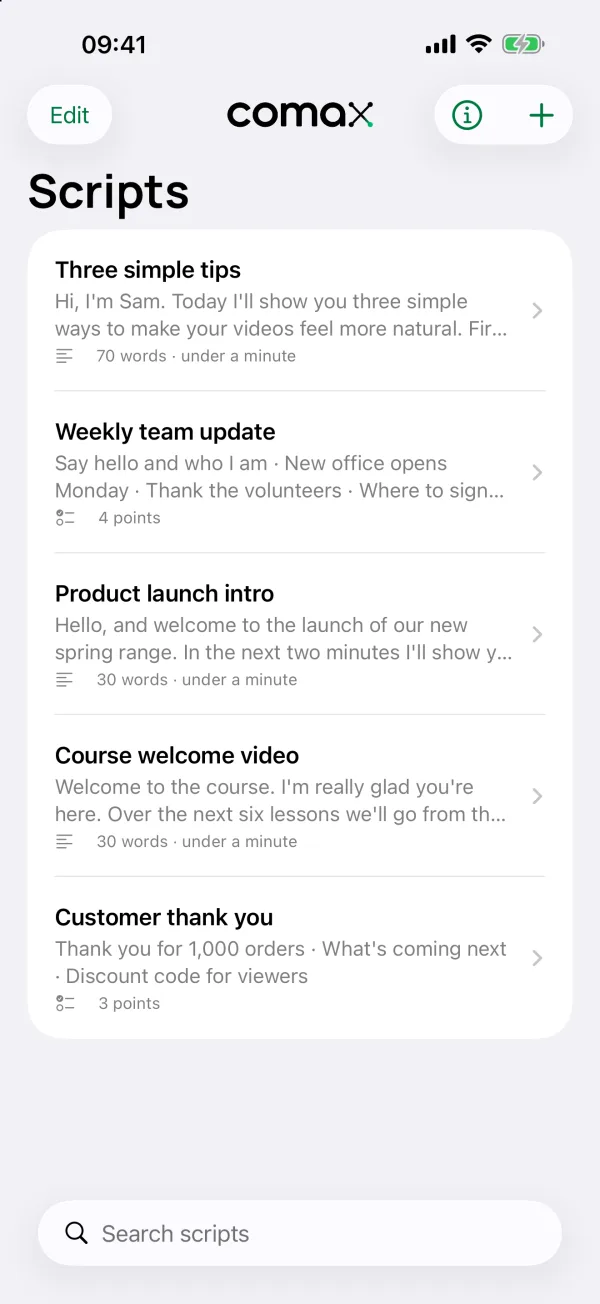
All your scripts in one place
Every script and set of notes is kept on your phone, with its length and roughly how long it takes to read. Search them, put them in order, duplicate one to try a new version, or select a few and delete them. Deleted one by mistake? Tap Undo.
- Make it readable. Choose the text size and how see-through the panel is.
- Mirror the text. For use with a teleprompter mirror rig.
Also in the app
Made for recording, not fiddling
-
Up to 4K
Choose HD or 4K and 24, 25, 30 or 60 frames a second, from what your camera can do.
-
Start with a button
Press a volume button, or Camera Control on newer iPhones, to start and stop.
-
Saved to Photos
Each video goes straight to your Photos, ready to edit or share.
-
Stays on your phone
No account and no tracking. Scripts, videos and Follow my voice never leave your iPhone.
Out now
Free on the App Store
Download CoMax Prompter on your iPhone and record your next video with your script right under the camera.
- On your iPhone, tap the App Store badge below, or scan the code with your camera.
- Tap Get. CoMax Prompter appears on your home screen.
- Open it and try the Welcome script, or tap + to write your own.
Tell us what you think by email to hello@comaxstudio.uk, or leave a rating on the App Store.

Scan with your iPhone’s camera

Questions
Good to know
Does it cost anything?
No. CoMax Prompter is free on the App Store, with no ads and no account to make.
Which iPhones does it work on?
iPhones running iOS 17 or later. Follow my voice needs iOS 27; steady scrolling works on every supported version.
Are my scripts or videos uploaded anywhere?
No. Scripts stay in the app, videos go to your Photos, and Follow my voice listens on your iPhone without sending anything away. Read the CoMax Prompter privacy policy.
Is there an iPad or Android version?
Not yet. An iPad version is planned. For a Mac, see CoMax Presenter, which has its own teleprompter.
I tested the beta. What should I do now?
Thank you for helping. Install CoMax Prompter from the App Store to keep getting updates. Your test version stops working when it expires, and you can delete it from TestFlight.
Read your script. Look at the lens.
CoMax Prompter is free on the App Store for iPhone. Try it for your next video.